A free resource for working professionals
You know your stuff. Now learn how to show it.
~1 hour 40 minutes total watch time
You know your subject. You've done the research, built the project, lived the work. But when it's time to stand in front of a room and share it, something falls apart. The slides are cluttered. The delivery is flat. The audience checks out.
This isn't a course. It's a shortcut. Six videos, hand-picked and organized into two problems: your slides and your delivery. Watch them. Apply one or two things. Your next presentation will be noticeably better.

Why better presentations matter
You might think your slides are "fine." The research says the audience decided how credible you are in the first 30 seconds.
55%
of your impact comes from how you look and move
Albert Mehrabian's research found that when a message is ambiguous, the audience relies on body language over words. Your posture, gestures, and eye contact are doing more work than your slides.
Mehrabian, UCLA (1971)
10 min
is the limit before attention drops sharply
Molecular biologist John Medina found that audiences check out after roughly 10 minutes. If you haven't re-engaged them with a shift in structure, energy, or visual — you've lost the room.
Brain Rules, Medina (2008)
63%
remember stories. Only 5% remember statistics alone
Stanford research showed that narratives are up to 22 times more memorable than facts presented in isolation. The data matters, but only if it's wrapped in a story the audience can hold onto.
Stanford Graduate School of Business
20%
of most presentations could be cut without losing any value
Audiences don't reward length — they reward density. Research from Prezi found that 70% of presenters agree their content could be shorter, yet they pad anyway out of fear of "not having enough." Filling time with filler slides, tangents, and repeated disclaimers doesn't make you thorough. It makes you forgettable.
Prezi / Harris Poll, State of Attention (2018)
The Template
A great presentation has five beats
You don't need to be creative with structure. Nearly every memorable talk follows this arc. Nail the flow and the audience does half the work for you.
The Hook
~30 sec
Open with a question, a surprising fact, or a short story. No "good morning." No throat clearing.
The Problem
~2 min
Name the tension your audience already feels. Make the status quo feel uncomfortable.
The Insight
~60% of your time
Your idea, your data, your solution. This is the meat — but every slide and story should serve one single point.
The Proof
~20% of your time
Back it up. A case study, a demo, a real example. This is where credibility gets built.
The Close
~1 min
Restate your one idea. Tell them what to do next. End sharp — don't let it trail off.
Where to start
Got 20 minutes?
Watch Video 1 (Death by PowerPoint) and you'll fix 80% of your slides.
Jump to Video 1 →Got an hour?
Watch Part One and Part Two back to back. Skip the bonus section.
Start Part One →Presenting tomorrow?
Jump straight to the Quick Hits for fast fixes to your opening, intro, and close.
Go to Quick Hits →Part One
The visual mistakes that make smart people look unprepared.
David JP Phillips · TEDx Stockholm 20 min
Watch this first. Phillips gives you five rules you can apply immediately. That last one, about dark backgrounds, is a game-changer most people have never considered. A dark slide keeps attention on you, the speaker, not the glowing screen behind you. If you only watch one video on this page, make it this one.
Key Takeaways
One message per slide. If your slide says two things, the audience is reading one while you're talking about the other.
Six objects max. Titles, bullets, logos, images all count. More than six and the brain stalls.
Size directs the eye. Make the most important element the biggest thing on the slide.
Contrast controls focus. Dim everything except the one thing you want the audience to see right now.
Ditch the white background. Dark slides make you the focal point, not the screen.
Garr Reynolds · TEDx Kyoto 15 min
Reynolds wrote Presentation Zen and his core idea is one most presenters have never heard: your slides are not your presentation. You are. He'll show you the difference between a slide and a "slideument" (a document disguised as a slide) and why that confusion is killing your credibility with the audience.
Key Takeaways
Start analog. Plan your talk on paper first. Opening PowerPoint too early leads to slide-driven thinking.
Slides are not documents. If your deck makes sense without you presenting it, it's a report, not a presentation.
Empty space is your friend. Resist the urge to fill every inch of the slide. Whitespace creates focus.
Use full-bleed images. One strong photograph beats five bullet points every time.
You are the star. The best slides are almost meaningless without your narration. That's by design.
David JP Phillips · TEDx 18 min
Phillips studied 5,000 speakers over seven years and cataloged 110 distinct communication skills. The good news: you don't need 110. He narrows it to the six that matter most. This video bridges slides and delivery, but the visual before-and-after breakdowns make it especially useful for fixing your design instincts. Pay attention to his slide examples.
Key Takeaways
You only need 6 skills. Out of 110 identified techniques, mastering just six can dramatically improve your impact.
Delivery changes meaning. The same slide presented two different ways creates two completely different audience reactions.
Energy is contagious. Your vocal variety and physical presence transfer directly to the audience's attention level.
Small changes, big results. You don't need a personality transplant. Targeted adjustments create outsized improvement.
Part Two
You don't need charisma. You need structure, awareness, and three fewer bad habits.
Chris Anderson · TED 8 min
The shortest video here and possibly the most important. Anderson runs TED. He's watched thousands of talks. His takeaway: great presentations aren't about performance. They're about transferring one idea clearly. If you're someone who thinks "I'm not a speaker," this video is for you.
Key Takeaways
One idea, period. Limit your entire talk to a single major idea. Everything you say should link back to it.
Give them a reason to care. Use curiosity and questions to open the audience's mind before you start filling it.
Build with familiar concepts. Use language, metaphors, and examples your audience already understands.
Make the idea worth sharing. Ask: who does this benefit? If it only serves you, rethink the talk.
Nancy Duarte · TEDx 18 min
Duarte discovered that the best talks follow a rhythm: they toggle between "what is" and "what could be." She maps this pattern across iconic speeches and proves it works at any scale, from a keynote to a quarterly update. Watch for the structural diagram she draws. Once you see it, you'll start building your own talks the same way.
Key Takeaways
Toggle between "what is" and "what could be." This contrast creates tension that keeps the audience engaged.
Make the status quo feel uncomfortable. Show the gap between current reality and the better future your idea creates.
End with a call to action. Close by painting a vivid picture of the future and telling the audience their role in it.
This works at any scale. The pattern applies to a 5-minute department update, not just famous speeches.
Practical Tip
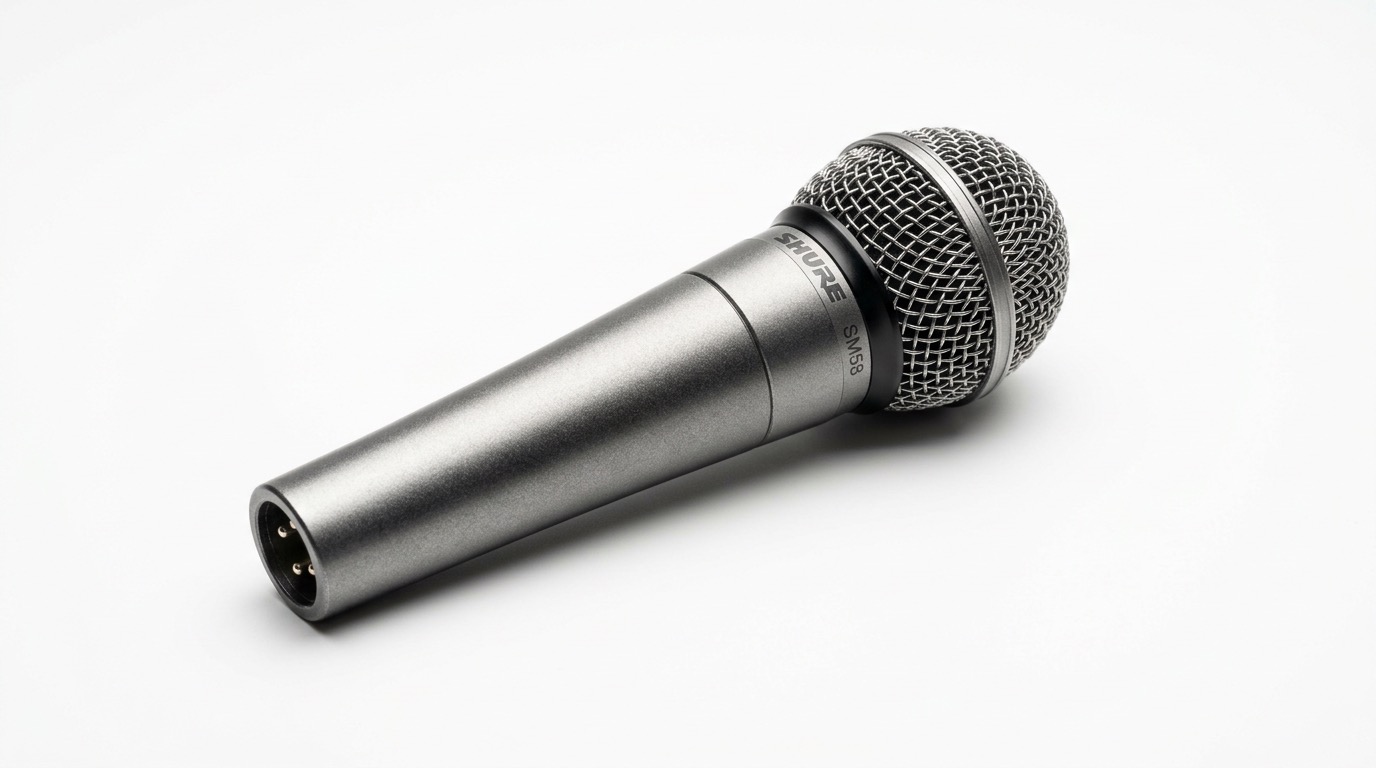
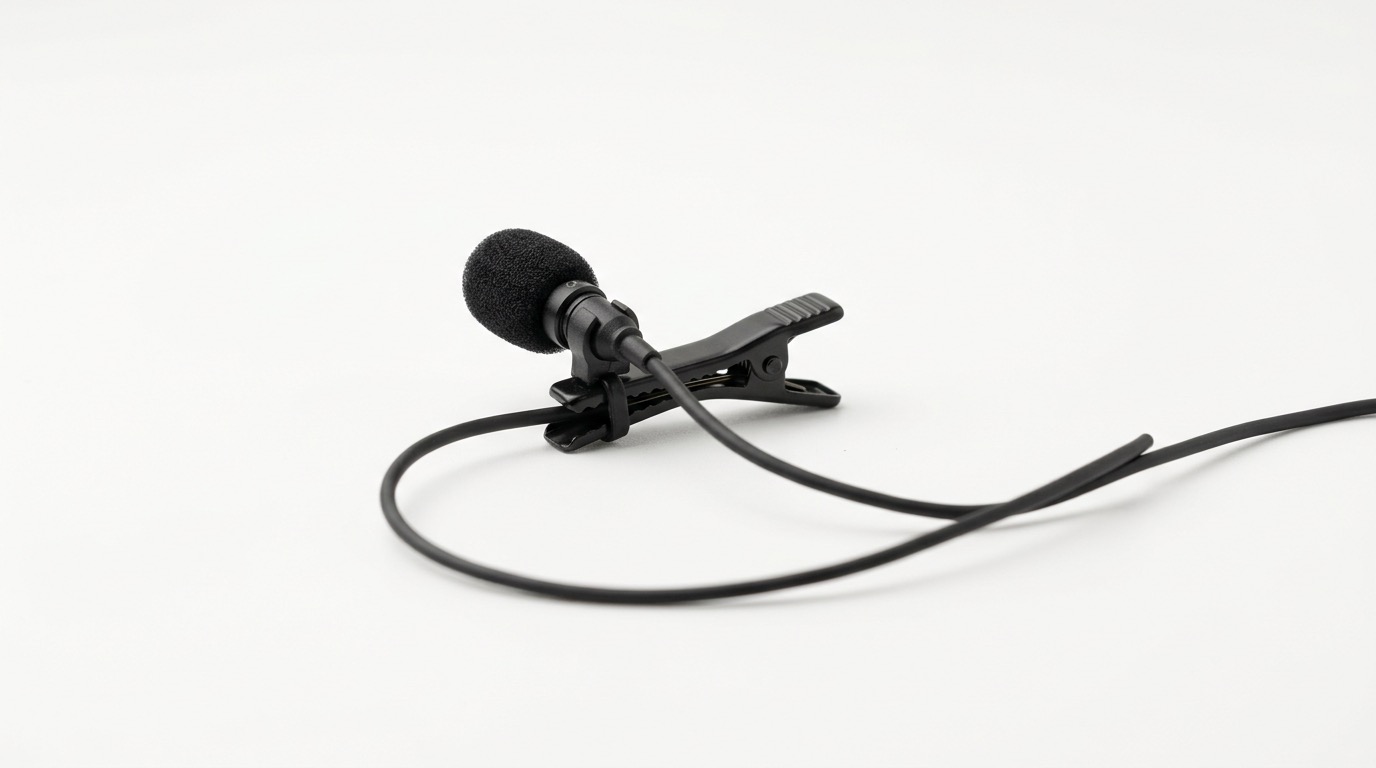
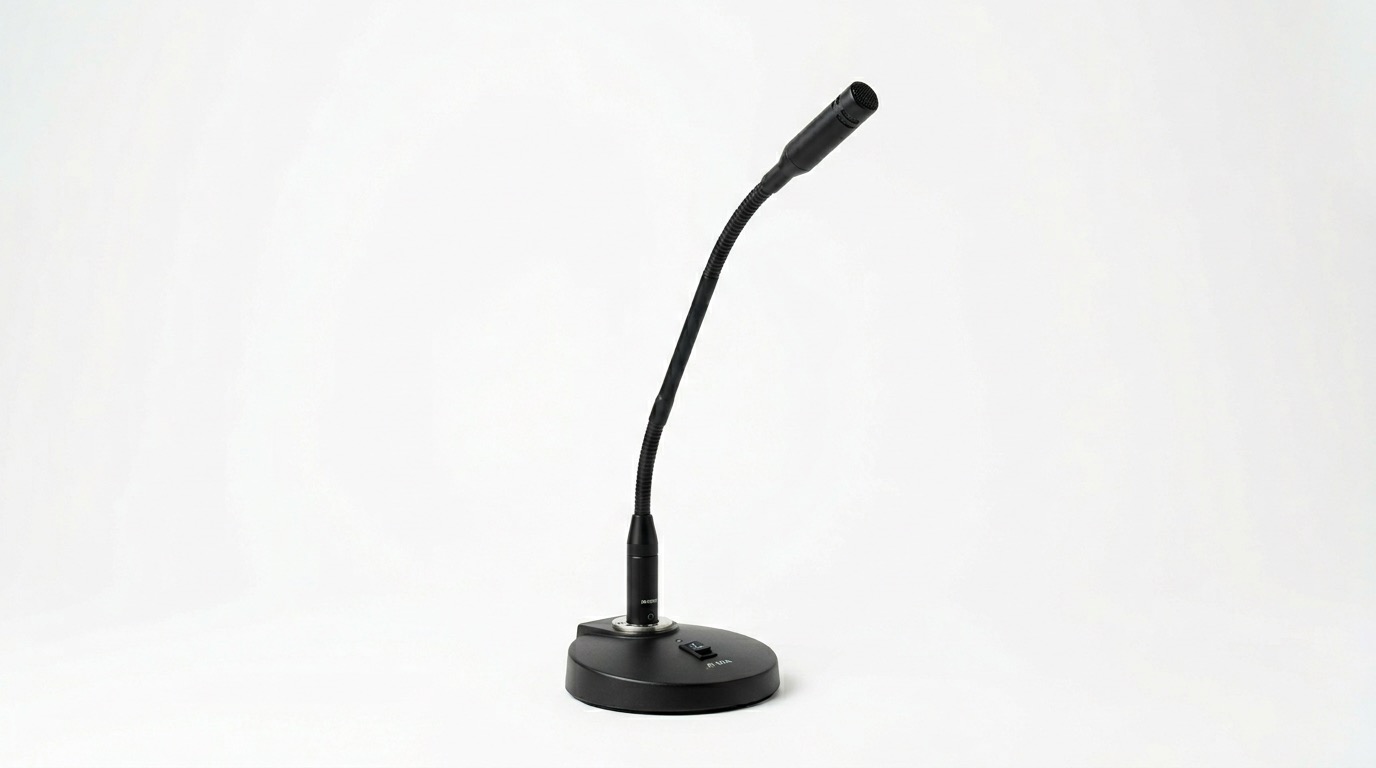
Nobody teaches this. You show up, someone hands you a mic, and you're on your own. Here's what to know for each type.
The one they hand you on stage
The small clip-on mic
The fixed mic on the lectern
Bonus
Two to five minute videos that each fix one specific bad habit.
Openings
Deborah Grayson Riegel on why the first 30 seconds set the tone. Stop apologizing. Stop warming up. Just begin.
Your opening is a promise to the audience
"Good morning" signals "this will be predictable"
Start with a question, story, or bold statement
Introductions
Carl Kwan's framework for introducing yourself without reading your bio slide. Short, useful, immediately actionable.
Present, past, future: a simple 3-part framework
Connect your intro to why you're the one talking
Practice until it feels like a conversation, not a recitation
Closings
Alex Lyon on how to close with intention so your audience remembers the point, instead of just... stopping.
Signal your close so the audience re-engages
Summarize your key point, not everything
End with a clear next step or call to action
The Cheat Sheet
One takeaway from each video. Screenshot this, print it, tape it next to your monitor before your next talk.
One message per slide. No exceptions.
Death by PowerPoint · Phillips
When a slide contains two ideas, the audience reads one while you talk about the other. Their attention splits and you lose both. Every slide should answer exactly one question: What is the single thing I need them to understand right now?
If you can't summarize the slide's point in one short sentence, it's doing too much. Split it into two slides. More slides isn't a problem. Confused audiences are.
Your slides are not your presentation. You are.
Presentation Zen · Reynolds
If someone can read your deck and understand the whole talk without you presenting, you've built a document, not a presentation. Reynolds calls these "slideuments" and they're the most common mistake in professional settings.
Great slides are almost meaningless on their own. They're visual cues that amplify what you're saying, not transcripts of it. The audience came to hear you, not read a screen.
Master 6 skills, not 110. Small changes, big results.
110 Techniques · Phillips
Phillips cataloged 110 communication techniques across thousands of speakers, but found that just six account for most of the difference between a forgettable talk and a memorable one. You don't need a personality transplant.
Focus on vocal variety, pausing, eye contact, gestures, movement, and energy. Pick the two you're weakest at and work on those. Targeted adjustments create outsized improvement.
Limit your entire talk to one single idea.
TED's Secret · Anderson
Chris Anderson has coached thousands of TED speakers and his advice is counterintuitive: do less. Most presenters try to cover too much, which means the audience remembers nothing. Pick the single most important idea and make everything in your talk serve that one idea.
Every story, every data point, every slide should answer: Does this help the audience understand my one idea? If not, cut it.
Toggle between "what is" and "what could be."
Secret Structure · Duarte
Duarte discovered that great talks create a rhythm: they show the audience the current reality (the problem, the status quo) and then contrast it with a better future (the solution, the possibility). Back and forth, building tension each time.
This works at any scale. A 5-minute department update can use the same structure as a keynote. Show the gap between where things are and where they could be, and the audience will lean in.
Don't open with "Good morning." Start with a question or story.
Openings · Riegel
The first 30 seconds are a promise to your audience. "Good morning, thank you for having me" signals that the next 20 minutes will be predictable and forgettable. You've already lost momentum before you've started.
Instead, open with a surprising question, a short story, or a bold statement that creates curiosity. Give the audience a reason to put their phone down in the first sentence, not the fifth.
Introduce yourself in 60 seconds: present, past, future.
Introductions · Kwan
Nobody wants to hear you read your bio slide. Kwan's framework is simple: say what you do now (present), give one relevant credential (past), and connect it to why you're the right person to be talking about this topic (future).
Practice it until it sounds like a conversation, not a recitation. If it takes more than 60 seconds, you're over-explaining. The audience doesn't need your full resume. They need a reason to trust you.
Signal your close, restate your point, end with a clear ask.
Closings · Lyon
Most presentations don't end. They just... stop. The speaker says "that's it" or "any questions?" and the energy deflates. A strong close has three parts: signal the end so the audience re-engages, restate your single key point (not everything), and give them a clear next step.
The last thing you say is the thing they're most likely to remember. Make it count. End with a call to action, a compelling image, or a statement that echoes your opening.