Year end impact reports for nonprofits
Your year deserves better than a PDF.
A cinematic impact report that opens on one person your work changed, and ends with a donor ready to give.
6 of 6 introductory spots left at $150. Half now, half when your report goes live.
The annual report problem
You spend weeks on it. Then it goes out as an attachment.
Gathering numbers, chasing photos, more edits than anyone wants. And most donors never get past the first page.
The story you worked all year to write deserves to be seen all the way through.
What your donors will see
Your year, told as a story donors scroll through.
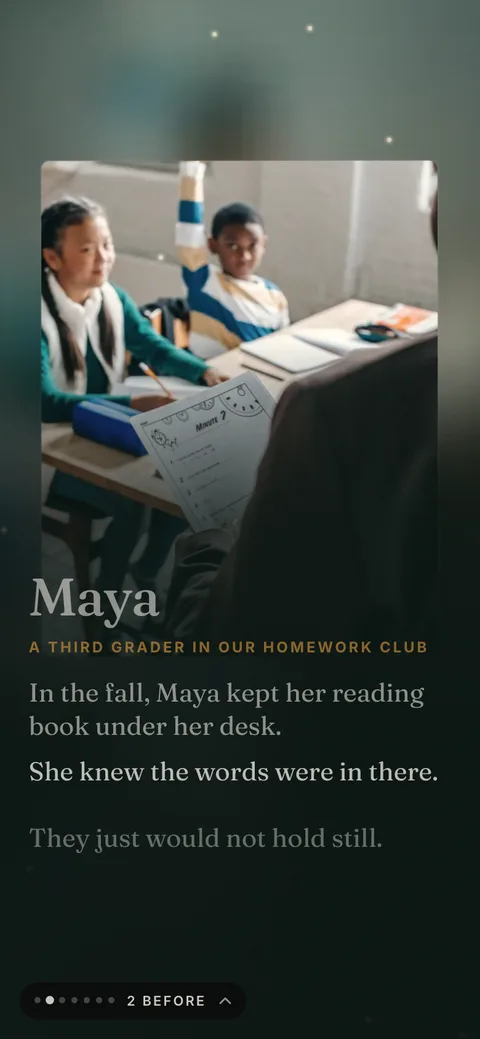
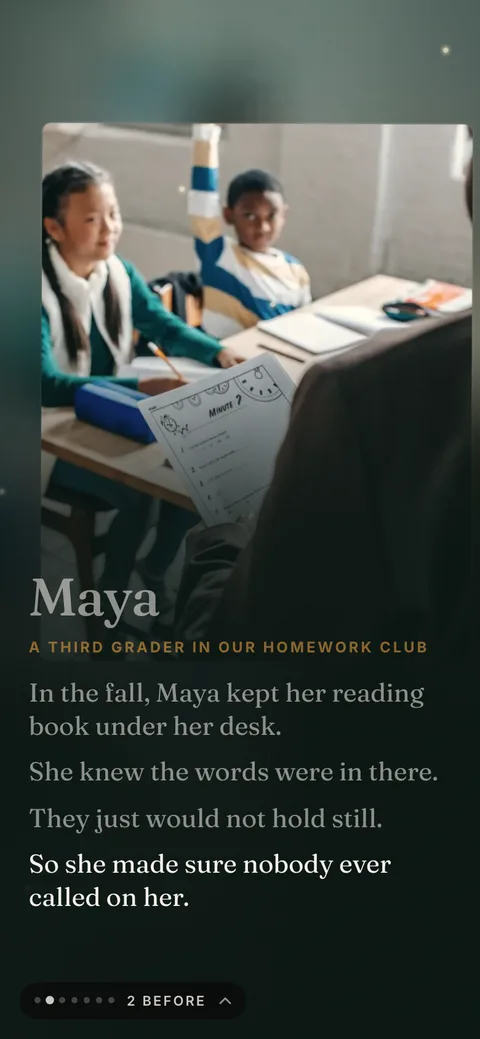
It starts with one person your work changed, then shows everyone you served, where the money went, and how a donor can help next year. These are real screens from the sample.
Scene 1We meet one person
The film opens on someone your work reached, in their own words, with the camera moving slowly in.
Scene 2Their life changes
Your organization enters the story. The light warms, and we see where their life is now, in their own words.
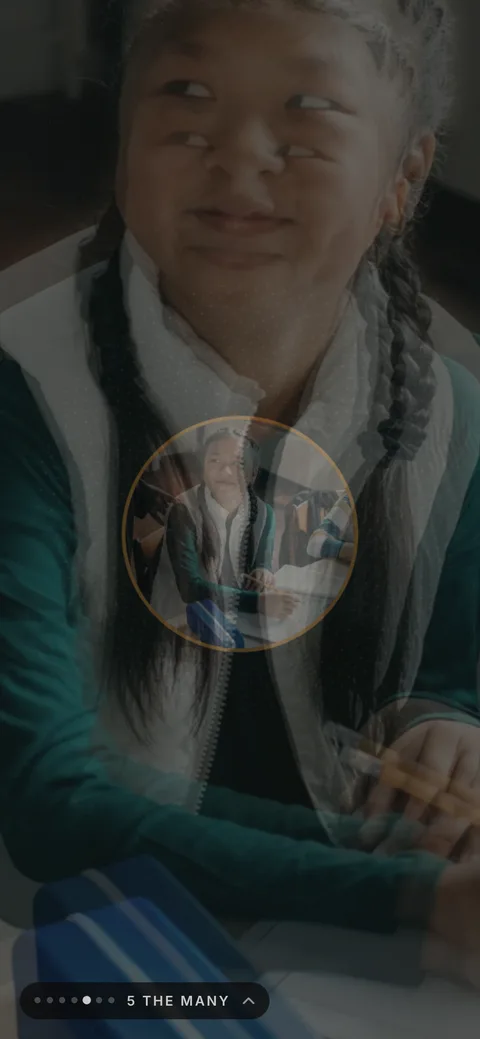
Scene 3The camera pulls back
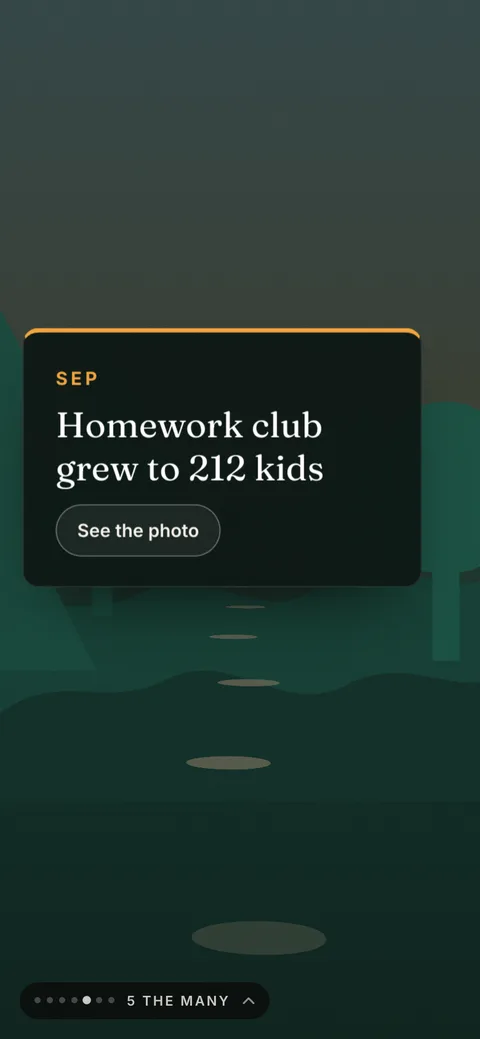
One person becomes everyone you served. Every dot is a person, and your big number counts up as the crowd fills in.
Scene 4Where the money went
The spending chart draws itself. Donors tap a slice to see what it paid for, then find their own name in the credits.
Scene 5The donor picks a gift
A slider shows what each amount does. The Give button opens your giving page with that amount filled in.
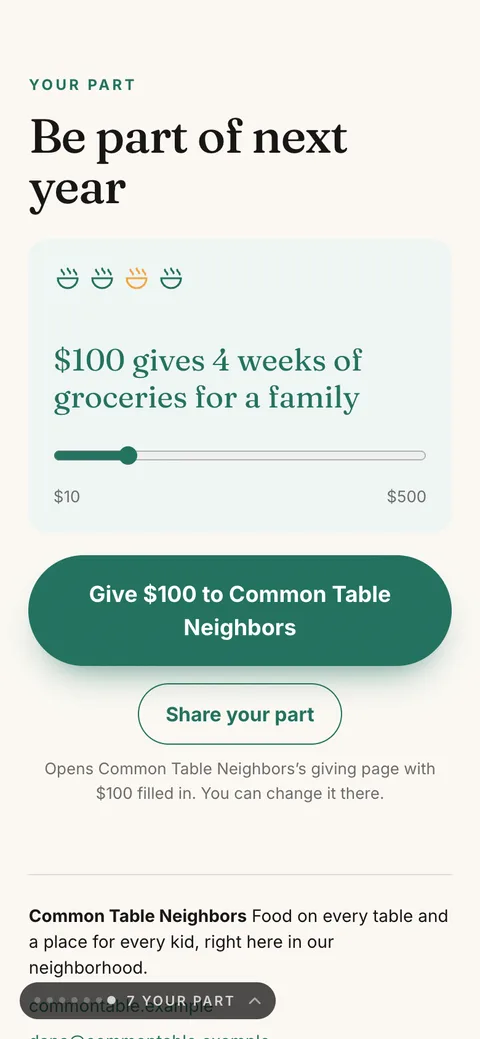
Watch the full sample to see it the way a donor will.
Six looks, your colors
Pick the look that feels like you.
Same story, built six different ways, in your brand colors. Choose a look and your colors on your form, and try every one on your private preview before it goes live. Here is the same moment from the sample report in each one.
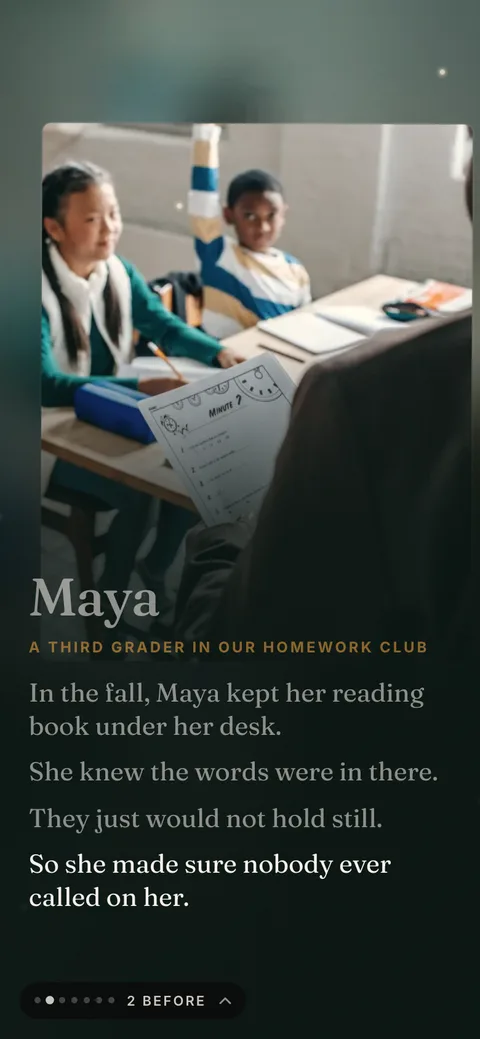
Cinema
Dark and warm, like the lights went down. Big serif type over full photos.
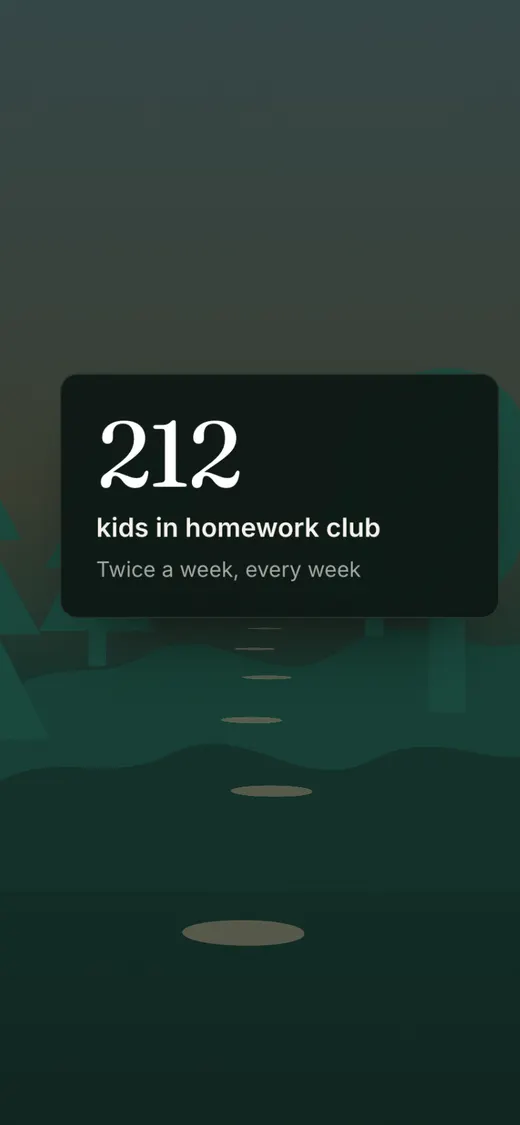
Nature
The film, outdoors: deep forest tones, and your numbers met along a woodland trail.
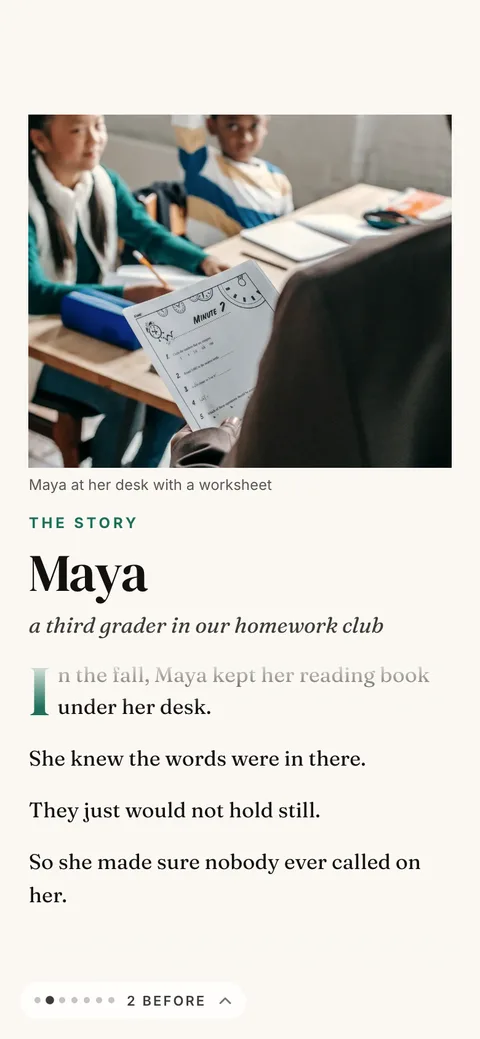
Magazine
An editorial feature: a masthead cover, the story as an article with captioned photos, pull quotes, the numbers as a spread.
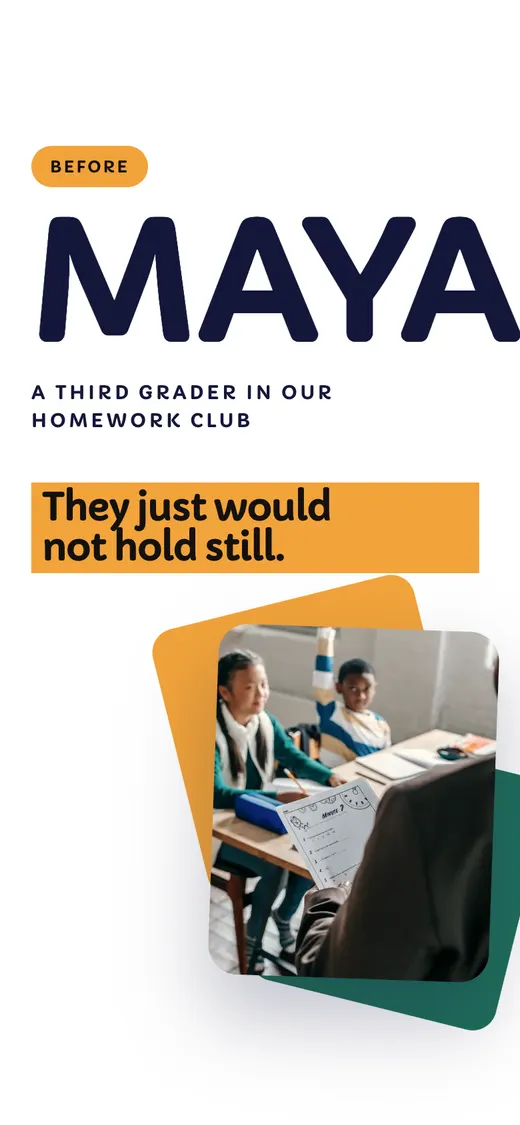
Bright
Bold and bright, like a modern brand site: slabs of your colors, rounded cards, big friendly type, numbers that count up.
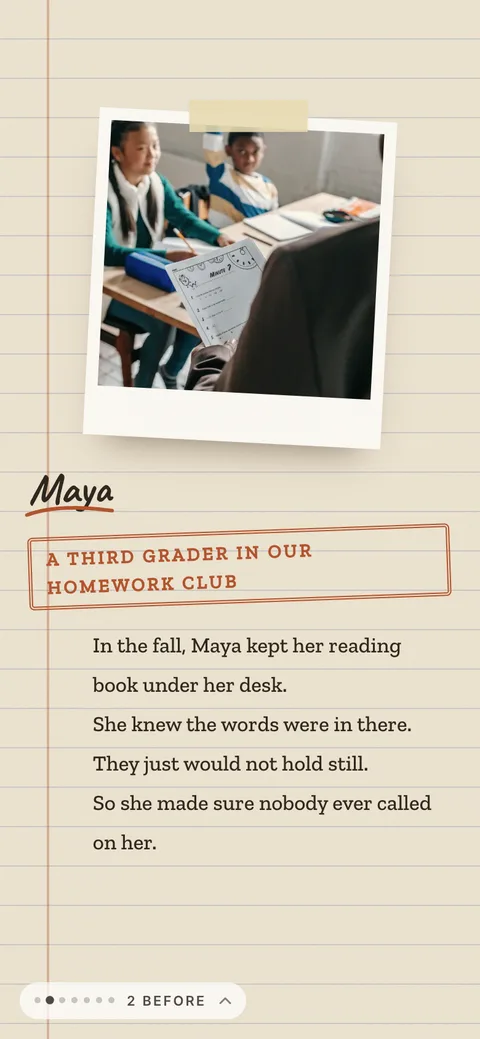
Scrapbook
A notebook being filled: taped prints, sticky notes, handwritten labels and doodles. Warm and personal.
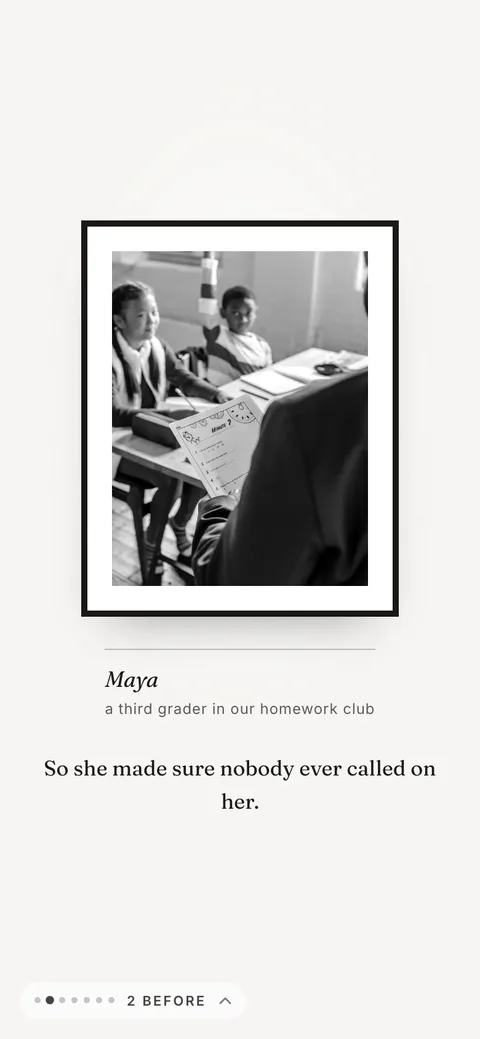
Gallery
An exhibition: one photo per wall with a museum label, black and white, slow and spacious.
Why this is an easy yes
Same story. A very different ending.
How it works
Three simple steps.
Reserve your spot
Pay the deposit, and your private form link arrives by email.
Fill out one form
Watch your report build as you type. It saves as you go, so you can stop and come back.
About 20 minutes of your timeReview your preview
Ask for any change you want, as often as you want. It goes live when you love it.
Changes until it is right
The introductory offer
Ready before Giving Tuesday.
Usually $1,500
$150
Introductory price, through October 30
Today, to reserve$75
When your report goes liveor on December 1, if it is not live yet$75
6 of 6 introductory spots left
What you get
- Your report at TimeToSizzle.com/report/your-name
- Your logo and your colors throughout
- A Give button that opens your giving page with the amount filled in
- A print version with a QR code for your mailers
- Changes until it is right, before it goes live
Why $150 instead of $1,500?
We want your ideas for an even better product. The first nonprofits to try Impact Reports get the introductory price, and in return you tell us what worked, what confused you and what you wish it did. After your report is live, one short email asks for your honest notes. Many of the next features will come from them.
Key dates
- Introductory price closes
- October 30
- Your form is in by
- November 6
- Your report is live by
- November 20
- Giving Tuesday
- December 1
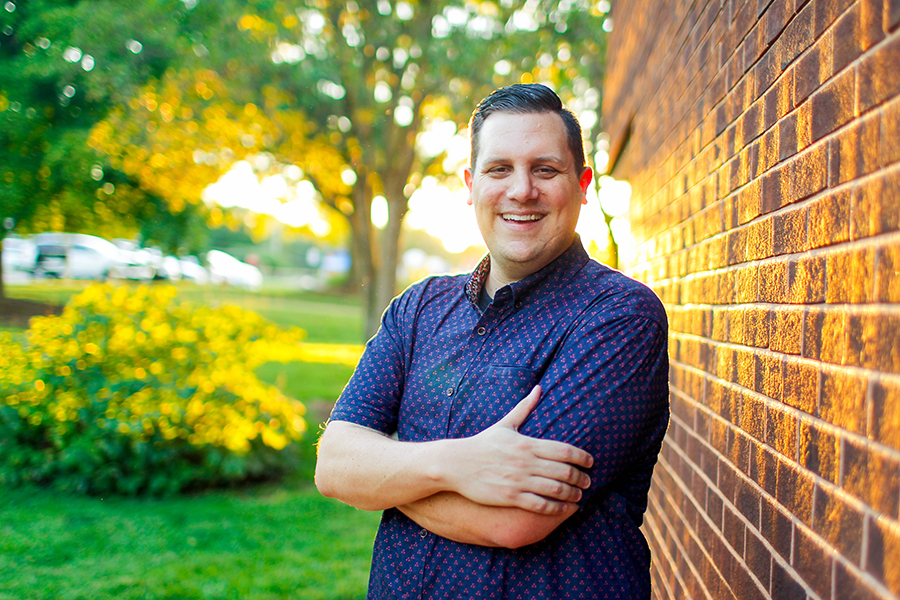
A note from the person who makes it
I'm Bear Wade, founder of Sizzle. I'm a four-time Telly Award winning documentary filmmaker, and I produced the PBS documentary Paving The Way.
For 23 years I've built brands and told stories, including work with more than 50 nonprofits.
Bear WadeFounder, Sizzle
Questions
Good questions, straight answers.
What do I need to have ready?
Your mission in a sentence, your logo or brand colors, at least three numbers from this year, one person’s story with their okay to share it, at least two spending areas with rough totals, what a gift pays for (like $50 for a month of tutoring), and your giving link. Round numbers are fine. Your last board report probably has them.
How long does it take me?
About 20 minutes on one guided form. It saves as you type, so you can stop and come back with the same link, and a small preview builds as you go. When you send it, your private preview arrives by email, usually within 15 minutes.
What if I do not have great photos?
A clear phone photo works, and the story photo does not need to show a face: hands on a book, a place, a moment. We size every photo for phones and give it a slow 3D camera move. You can also add a few seconds of phone video, more photos from your year, a recording of the quote, and a thank-you video from your director. All optional.
Can I change things before it goes live?
Yes, as many times as you need. On your private preview, tap Edit with AI and say the change in your own words, like "change Maya’s quote" or "use the Bright look." The preview updates in about a minute, and you can undo any change. You can also try six looks and your own brand colors.
Can we change it after it is live?
Yes. The same Edit with AI works on your live report, and changes show at the same link right away. Every change can be undone.
Why is it only $150?
It usually costs $1,500. The first nonprofits to try it get the introductory price because we want your ideas for an even better product. After your report is live, we send one short email asking what worked and what you wish it did. That is the whole deal.
How does payment work?
Half now to reserve your spot, and half when you approve your report. Approving opens a secure Stripe checkout, and your report goes live the moment the second half is paid.
How do we share it?
You get one link for email, text and social, plus a share kit: a QR code for anything printed, a share image for social posts, an email you can send as is, a print version, thank-you postcards, and a personal link for each donor that greets them by name.
Do donors need an app?
No. It is a web page. It opens from a link on any phone or computer, with nothing to install and no login. Sound stays off unless they turn it on, there is a calm version with no motion, and it works with screen readers.
Who owns the content?
You do. The words, the photos and the finished report all belong to your organization. We just make it look good.
Give your donors a year they can feel.
6 of 6 introductory spots left at $150. Half now, half when your report goes live.
Questions? Email bear@timetosizzle.com.